
In today’s fast-paced digital world, attention spans are shrinking. Whether you’re posting on Instagram, LinkedIn, or Facebook, your content has just a few seconds to grab attention. That’s why mastering How to Write Captions That Stop the Scroll is a must-have skill for every marketer, creator, and business owner.
If your posts are getting ignored, chances are your captions aren’t doing their job. In this guide, you’ll learn exactly How to Write Captions That Stop the Scroll and turn passive viewers into active engagers.
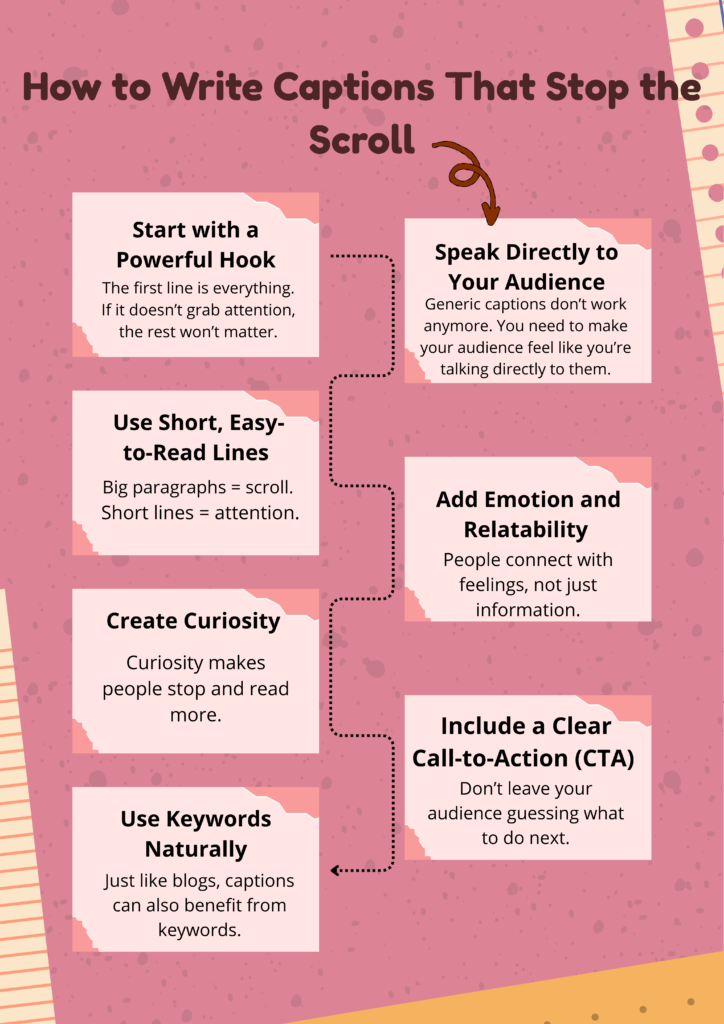
Why Captions Matter More Than Ever
Most people focus only on visuals—but captions are what drive action. A strong caption can:
- Increase engagement (likes, comments, shares)
- Build connection with your audience
- Drive clicks and conversions
Understanding How to Write Captions That Stop the Scroll helps you stand out in crowded feeds and capture attention instantly.
1. Start with a Powerful Hook
The first line is everything. If it doesn’t grab attention, the rest won’t matter.
Examples:
- “Nobody tells you this about marketing…”
- “I wasted ₹50,000 before learning this…”
- “Stop posting like this right now…”
A strong hook is the foundation of How to Write Captions That Stop the Scroll.
2. Speak Directly to Your Audience
Generic captions don’t work anymore. You need to make your audience feel like you’re talking directly to them.
Example:
Instead of: “Social media is important”
Say: “If you’re a small business owner struggling with reach, this is for you…”
This personalized approach is key to How to Write Captions That Stop the Scroll effectively.
3. Use Short, Easy-to-Read Lines
Big paragraphs = scroll.
Short lines = attention.
Format like this:
- One idea per line
- Add spacing
- Keep it clean
Readable formatting is a crucial part of How to Write Captions That Stop the Scroll.
4. Add Emotion and Relatability
People connect with feelings, not just information.
Use:
- Personal stories
- Struggles
- Real experiences
When you add emotion, your content becomes memorable. That’s the secret behind How to Write Captions That Stop the Scroll.
5. Create Curiosity
Curiosity makes people stop and read more.
Example:
- “This one mistake is killing your engagement…”
- “You’re posting daily but still not growing? Here’s why…”
Building curiosity is a powerful tactic in How to Write Captions That Stop the Scroll.
6. Include a Clear Call-to-Action (CTA)
Don’t leave your audience guessing what to do next.
Examples:
- “Comment ‘YES’ if you agree”
- “Save this for later”
- “DM me ‘SEO’ for help”
A strong CTA completes the strategy of How to Write Captions That Stop the Scroll.
7. Use Keywords Naturally
Just like blogs, captions can also benefit from keywords.
Using How to Write Captions That Stop the Scroll naturally in your captions helps improve visibility and relevance, especially on platforms like LinkedIn.
Positive Aspects of Writing Scroll-Stopping Captions
Mastering How to Write Captions That Stop the Scroll comes with major benefits:
✅ Higher Engagement
Your posts get more likes, shares, and comments.
✅ Better Audience Connection
People relate to your content and trust your brand.
✅ Increased Conversions
Good captions can turn followers into paying customers.
✅ Strong Personal Branding
You stand out as an expert in your niche.
Negative Aspects (Common Mistakes to Avoid)
While learning How to Write Captions That Stop the Scroll, avoid these mistakes:
❌ Clickbait Without Value
If your caption promises something but doesn’t deliver, you lose trust.
❌ Overly Long and Boring Content
Even great ideas fail if they’re not engaging.
❌ No Structure
Messy captions are hard to read and easy to ignore.
❌ Ignoring Your Audience
If your caption isn’t relevant, people will scroll past instantly.
Bonus Tips to Master Captions
To truly understand How to Write Captions That Stop the Scroll, keep these extra tips in mind:
- Use emojis strategically (not excessively)
- Experiment with storytelling
- Study viral posts in your niche
- Test different formats and analyze results
Consistency is key when learning How to Write Captions That Stop the Scroll.
Conclusion
Mastering How to Write Captions That Stop the Scroll is not about being perfect—it’s about being intentional. From powerful hooks to clear CTAs, every element plays a role in capturing attention.
If you apply these strategies consistently, you’ll not only stop the scroll but also build a loyal and engaged audience.
And if you want help crafting high-converting content, I, Prachi Mishra, specialize in creating strategies that truly work.
👉 Visit: www.heyprachimishra.com
💠Or Visit My Instagram Page : Prachimishra_digital
Start applying How to Write Captions That Stop the Scroll today—and watch your engagement grow 🚀